


Manage settings
Manage offers
Offer special deals and benefits to your members
The offers module lets your club provide exclusive benefits and special discounts to your members. You can create a variety of offers to encourage participation and build member loyalty. This section guides you through quickly activating and configuring this engagement module.
Access the Offers section
From your admin dashboard, navigate to Settings, then select Manage offers.
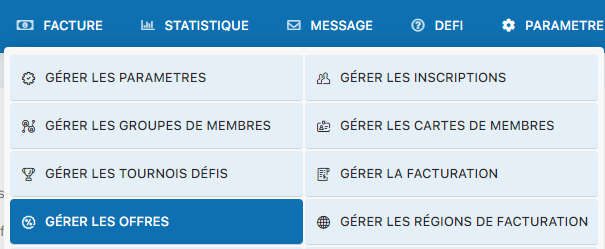
Menu for accessing offer settings
Activate the module and configure the offers
The configuration screen lets you enable the offers module and fill in the essential information. Start by selecting Yes for “Use the offers module”:
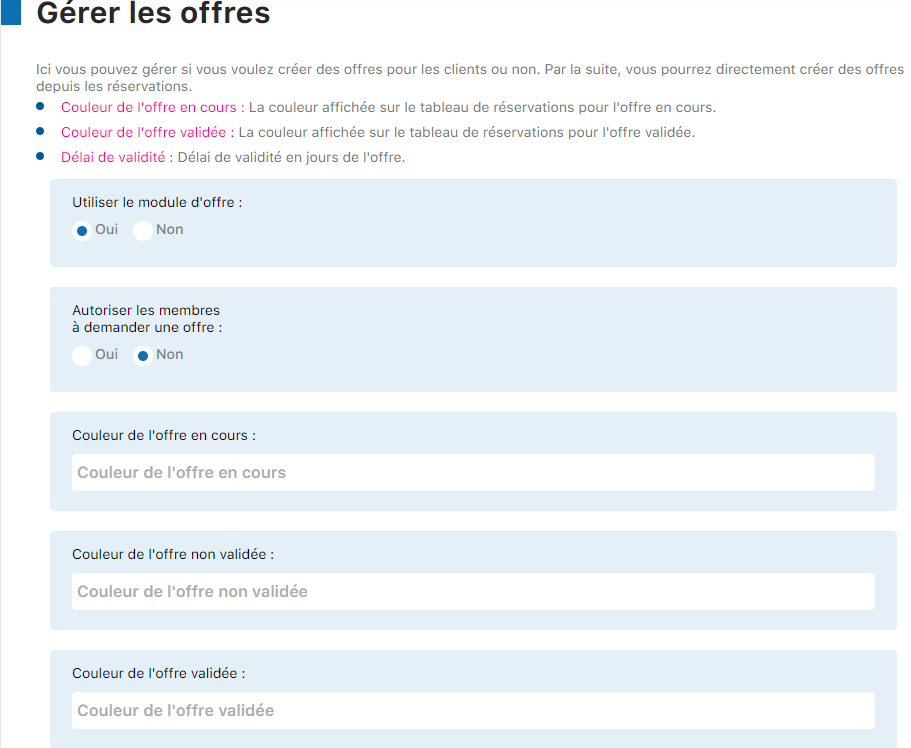
Selecting Yes to enable the offers module
Then fill in the available configuration settings according to your needs:
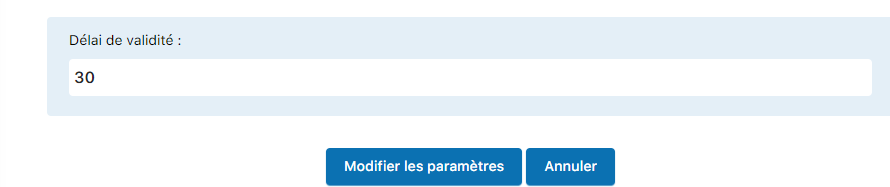
Configuration screen with all available settings
Information to fill in:
- General description of your club's offers module
- Access conditions for offers (by member category, by season, etc.)
- Specific settings for your offers policy
- Any other information relevant to your members
Finalize the configuration
Once you have completed all the fields, click the button “Edit settings” to save your changes.
💡 Tip: Offers can be an excellent way to build member loyalty and promote certain activities. Remember to update your offers regularly to keep your members engaged and interested in the benefits offered.
Plugin.ch Tutorial — Manage settings