


Edit and delete a member
Edit details, suspend, or permanently delete a member
Manage members
Edit a member's details
Click the pencil icon next to the member's name to open their edit form. Edit the fields you want to update, then click the Edit person button to save your changes.

Click the pencil to edit
Suspend a member (make them inactive)
Click the trash icon next to the member's name to suspend them. A confirmation window will appear asking you to confirm this action. Once confirmed, the member is moved to the inactive members list and can no longer make bookings.
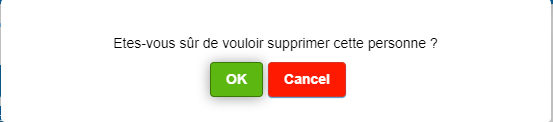
Suspension confirmation window
Permanently delete a member
To completely and permanently delete a member, you must first display inactive members. Then click the small cross (●) next to the reactivation arrow to fully delete the profile.

Options available for an inactive member
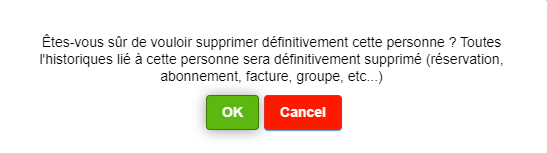
Permanent deletion confirmation
Reactivate a member
To reactivate an inactive member, click the reversible arrow (↶) to move them back to the list of active members. The member can then make new bookings and be invoiced normally.
Change a member's family
You can change a member's family group by editing their profile and modifying the "Group invoice with"field. Select another member as the billing manager, or leave the field empty for the member to be invoiced individually.
💡 Helpful tip
For people who are not members in the strict sense (visitors, suppliers, guests), you have two options: create a profile with the "Virtual" gender, which only requires a name, or create a full member with the "Non-member" subscription.
⚠️ Fees and invoices
A member's fee comes from their subscription (automatic), not from a manual item that can be deleted from the invoice.
- If the fee must disappear permanently : delete the member's subscription in their profile.
- If it is a temporary correction : put a negative amount (e.g. -1) on the invoiced fee; it will reappear at the next invoice group update.
⚠️ Warning: Permanent deletion
Permanently deleting a member is irreversible. All of the member's data will be completely erased, including their invoice history, payments, bookings, and all associated information. Proceed with caution and only delete profiles created by mistake.
Plugin.ch Manual | Chapter 8: Manage members