


Partner search
Find your playing partner
Activate and use the partner search module to organize your matches
Activating the module
For your club's members to access the partner search feature, you must first activate the module in Plugin.ch settings. Here's how:
Step 1: Access the settings
Log in to the Plugin.ch admin interface and navigate to the club settings section.

Step 2: Locate the setting
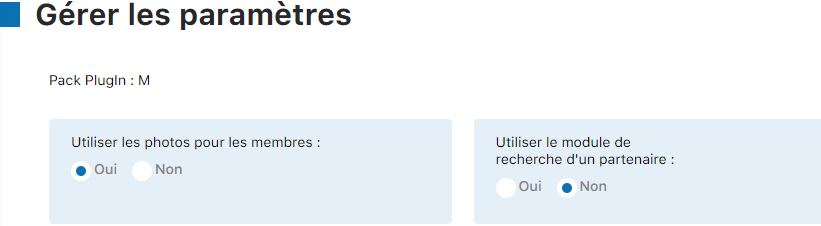
Look for the setting titled “ Use the partner search module ” in the list of available options.
Step 3: Activate the module
Select the option “ Yes ” to activate the partner search module for all your members.

Step 4: Confirm the changes
Click the “ Edit settings ” button to save your changes.
✓ Result: Once activated, the “Find a partner” link automatically appears for all members logged in to the booking platform.
Post a search request
A member wishing to find a playing partner can easily post a request. Here's how:
Step 1: Log in and find the module
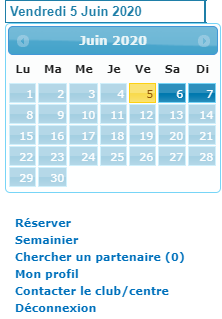
The member logs in to the booking site. They can then see the “ Find a partner ” link, accompanied by the number of active requests in parentheses.
Step 2: Open the search form
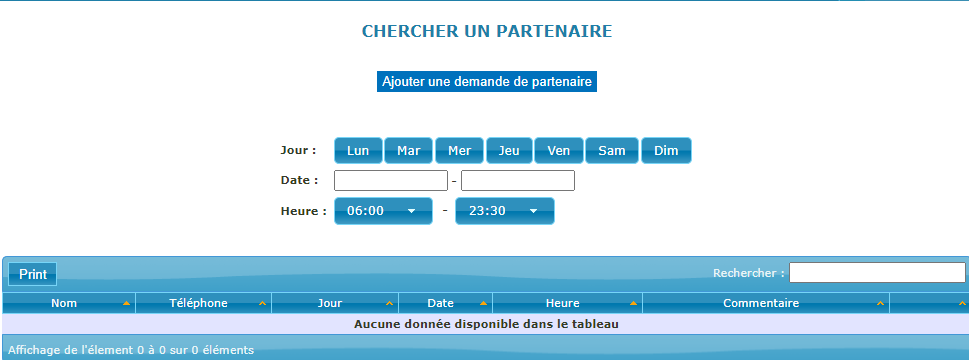
Clicking on “Find a partner” opens the listing creation form.
Step 3: Fill in your availability details
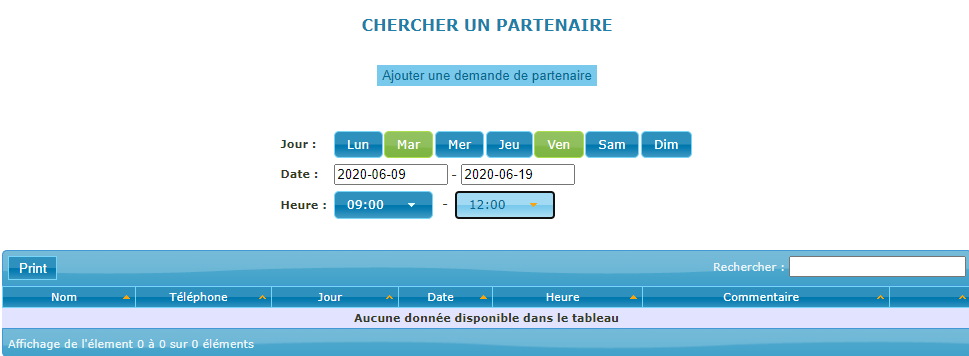
The member selects the day, the date and the desired time slots to play. This information must match their availability.
Step 4: Add a request and comments
The member clicks the “ Add a partner request ” button to add this time slot to their search.
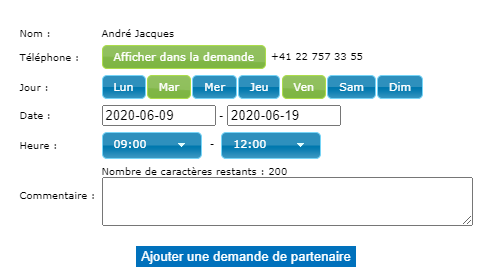
They can also add a comment to specify their playing level, playing preferences, or any other useful information (for example: “Looking for a beginner partner, fun game”).
Step 5: Confirmation and publishing
After setting all the parameters and adding comments, the member clicks again on “ Add a partner request ” to publish their listing.

✓ Result: The request is now visible to other members. It appears in the list of active partner searches.
Respond to a partner request
When another member logs in, they can see all active search requests and potentially respond to the one that interests them:
Step 1: View the list of requests
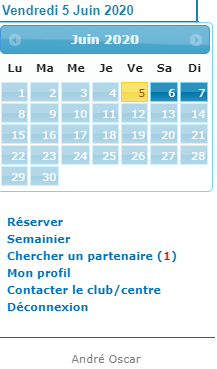
When another member (for example André Oscar) logs in, they see an indicator next to the “Find a partner” link. For example, « (1) » means there is an active search request.
Step 2: View available listings
Clicking on the link displays the list of members looking for a partner. Each listing shows the day, time, and possibly a comment from the requester.

Step 3: Get in touch and organize a match
If a listing matches their availability and preferences, the member can directly contact the requester (for example via the contact details provided or a club messaging system) to arrange a match. Once they agree, the two players can then book the court together.
⚠️ Important: Remember that each request must be deleted once a partner has been found or your availability is no longer valid. See the “Delete your listing” section below to find out how.
Delete your listing
Once you have found a partner or your availability changes, it is important to delete your request to keep the platform up to date:
Step 1: Access your search board
Log in to the booking site and display your partner search board.
Step 2: Open the search section
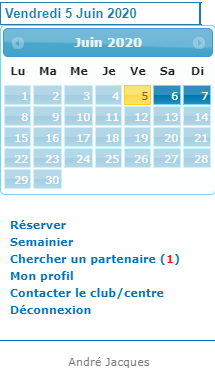
Click on “ Find a partner ” to display your active listings.

Step 3: Click the cross to delete
Find your listing and click the icon shaped like “cross (×)” to delete it.
Step 4: Confirm the deletion
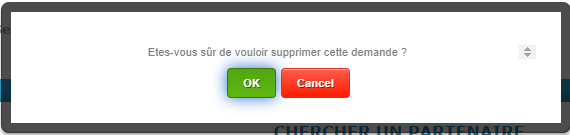
A confirmation message appears. Click on “ OK ” to confirm the deletion of your listing.
✓ Result: Your request is immediately deleted and no longer appears in the list of active partner searches.
💡 Practical tips
- Be specific: Clearly state your level, playing preferences, and availability to attract compatible partners.
- Respect deadlines: Update or delete your listings regularly to avoid outdated requests.
- Communicate: As soon as a potential partner contacts you, reply quickly to finalize the match arrangements.
- Keep the list up to date: Delete your listing immediately once a partner is found, to make room for other requests.
Questions?
If you encounter any difficulties with the partner search module or need further assistance, feel free to contact your Club administrator or the Plugin.ch support team.
Plugin.ch Tutorial — Partner Search